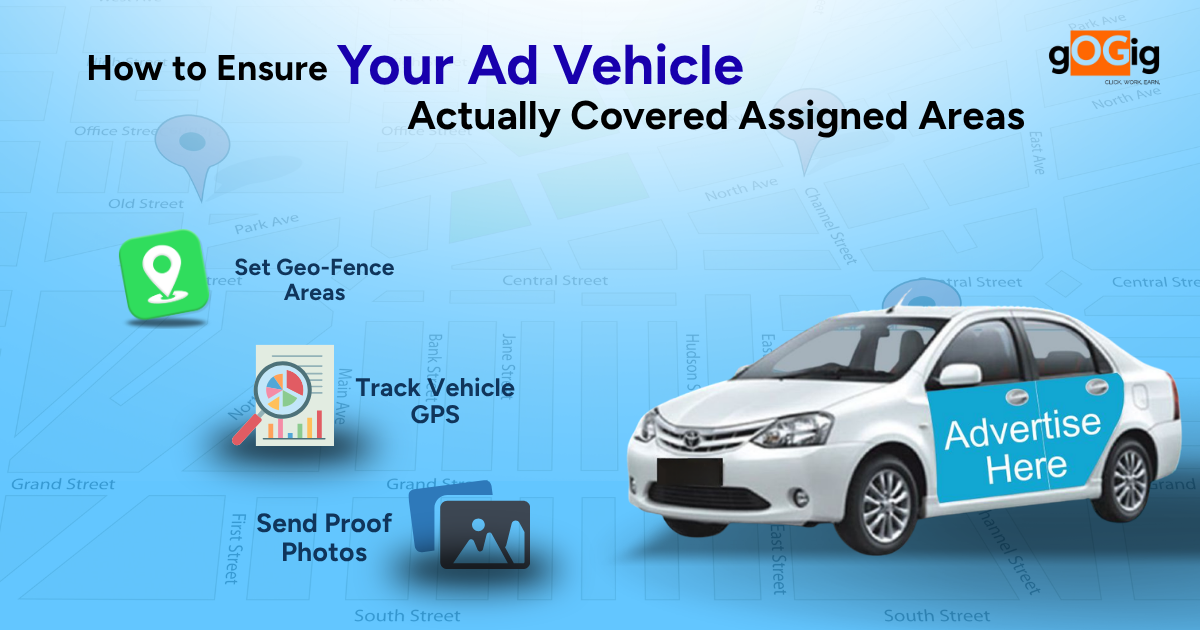
Most brands running mobile advertising campaigns assume their ad vehicles are covering assigned routes properly because vendors share photos and daily updates. But in reality, many campaigns suffer from incomplete route coverage, skipped locations, low dwell time, and poor execution visibility. This is why brands are increasingly searching for better ways to track ad vehicle coverage using GPS tracking for advertising vehicles, geo-fencing, and real-time vehicle campaign tracking systems.
In transit advertising, van campaigns, auto branding, and mobile LED advertising, movement alone does not guarantee visibility. Without proper ad vehicle route tracking, brands cannot verify whether vehicles actually entered target markets, spent enough time in high-footfall areas, or followed assigned routes correctly. As outdoor advertising becomes more data-driven, businesses are shifting from manual reporting toward GPS-based mobile advertising campaign tracking systems that provide measurable coverage, live monitoring, and execution transparency.
Why Mobile Advertising Campaign Tracking Is a Growing Challenge
Unlike billboards or hoardings, ad vehicles are constantly moving. This makes execution monitoring significantly harder.
A vehicle may operate for an entire day and still fail to deliver proper advertising visibility because:
Important markets were skipped
Drivers shortened routes
Vehicles avoided crowded areas
Campaigns ran for fewer hours
Vehicles stayed idle for long periods
In most cases, brands never discover these issues during the campaign itself.
This creates one of the biggest operational gaps in outdoor advertising monitoring.
According to Geotab, GPS-enabled fleet tracking improves route accountability and operational visibility because movement becomes continuously measurable.
Campaign completion is reported at the end of the day
But on-ground execution often looks very different.
Route Shortening
Drivers may take shorter routes to save fuel or reduce travel time.
Skipped Coverage Areas
Low-priority or remote zones are often ignored completely.
Selective Proof Sharing
Photos are usually captured only in premium or crowded locations.
Excessive Idle Time
Vehicles may remain stationary while campaigns are still marked active.
Untracked Route Deviations
Vehicles move outside assigned coverage areas without detection.
These issues become even more difficult to manage in multi-city campaigns and Tier 2 or Tier 3 markets where physical supervision is limited.
How to Ensure Your Ad Vehicle Actually Covered Assigned Areas (Step-by-Step Framework)
Step 1: Define Clear Route Plans with Measurable Coverage
The first step in How to Ensure Your Ad Vehicle Actually Covers Assigned Areas is clarity in planning.
What leading brands do:
Pre-define exact routes (not just areas)
Break routes into checkpoints or zones
Assign time slots for each segment
Why this matters:
“Cover City A” is vague
“Cover 12 specific routes between 10 AM and 6 PM” is measurable
Without route clarity, tracking becomes meaningless.
Step 2: Use GPS-Based Real-Time Tracking
This is the most critical solution.
What GPS tracking does:
Captures live location of the vehicle
Tracks movement throughout the day
Records actual route taken
What brands can see:
Where the vehicle started
Which roads it cover?
Where it stopped
Total distance traveled
Key advantage: No dependency on driver or vendor reporting.
Step 3: Create Geo-Fenced Coverage Areas
To strengthen How to Ensure Your Ad Vehicle Actually Covered Assigned Areas, brands define geofences.
What is geo-fencing:
Digital boundaries around target areas
System checks if vehicle entered those zones
How it helps:
Confirms whether assigned areas were actually covered
Flags missed zones automatically
Step 4: Monitor Route Deviation in Real Time
Tracking is not just about location it’s about accuracy of movement.
What leading brands track:
Route deviations
Idle time
Unplanned stops
Why this matters:
Vehicle may be moving but not on assigned route
Time may be wasted in non-target areas
Step 5: Combine GPS Data with Time Tracking
Coverage is not just “where” it’s also “how long”.
What brands measure:
Time spent in each area
Duration of campaign activity
Active vs idle time
Why this is important:
Passing through an area for 2 minutes is not effective
Campaign requires meaningful exposure time
Result: Better evaluation of actual campaign impact.
Step 6: Capture Geo-Tagged Proof at Key Locations
While GPS tracks movement, proof validates execution.
What leading brands do:
Capture photos at key checkpoints
Ensure images are geo-tagged
Validate timestamps automatically
Why this adds value:
Confirms branding visibility
Verifies campaign presence in high-priority zones
Step 7: Use Centralized Dashboards for Monitoring
All tracking data must be visible in one place.
Dashboards show:
Route maps (planned vs actual)
Coverage percentage
Missed areas
Vehicle movement history
Why this matters:
Enables quick decisions
Identifies underperformance instantly
Step 8: Set Alerts for Missed or Deviated Routes
Automation is key to control.
What systems can do:
Alert if vehicle skips a zone
Notify if route deviation occurs
Flag inactivity or delays
Impact:
Issues are corrected immediately
No need to wait for end-of-day reports
Step 9: Evaluate Performance Using Data, Not Claims
Final step in How to Ensure Your Ad Vehicle Actually Covered Assigned Areas is measurement.
What brands analyze:
% of route covered
Time spent per zone
Distance traveled vs planned
Missed areas
This replaces:
Vendor claims
Assumption-based reporting
What Changes When You Implement This System
Before
Dependence on driver/vendor updates
Limited proof
No real visibility
After
Real-time tracking
Verified coverage
Data-driven insights
Campaign control shifts from assumption → certainty
Common Mistakes Brands Still Make
Even with intent, many fail at ensuring that their ad vehicle actually covered assigned areas:
Using GPS but not analyzing route data
Not defining clear routes
Relying only on photos
Ignoring idle time and deviations
Key Takeaway
How to Ensure Your Ad Vehicle Actually Covered Assigned Areas is not about trust; it’s about tracking, verification and control.
GPS shows where the vehicle went
Geo-fencing shows what areas were covered
Proof shows what was executed
Only when all three work together does campaign tracking become reliable.
FAQs
How can I track my ad vehicle in real time?
By using GPS-enabled tracking systems that monitor vehicle movement continuously.
What is geo-fencing in ad tracking?
It defines digital boundaries to verify whether vehicles entered assigned areas.
Why is GPS tracking important for ad campaigns?
It ensures accurate route coverage and eliminates dependency on manual reporting.
Can photos alone verify vehicle campaigns?
No, photos can be selective; GPS and geo-tagging are required for full validation.
gOGig ensures that ad vehicles don’t just move but deliver real coverage. By combining GPS tracking, geo-fencing, dwell-time analytics, and geo-tagged proof, it gives brands complete visibility into where vehicles went and how effectively they performed. With real-time dashboards and automated alerts, brands can detect gaps instantly and take corrective action during the campaign itself. This transforms ad vehicle campaigns from assumption-based execution into fully measurable, controlled, and optimized operations.